

Building a digital product directly from an idea can be risky.
A business may know what it wants to build, but without clearly defining how users will move through the product, important usability problems can appear during development.
Wireframing and prototyping services provide a practical way to visualize a product before developers start writing production code.
Instead of discussing an idea only through documents and meetings, teams can see how screens, navigation, interactions, and user journeys will work.
ThinkDebug uses wireframing and prototyping as part of its UI/UX design process to help businesses validate ideas, collect feedback, and streamline development. ThinkDebug
What Is Wireframing?
A wireframe is a simplified visual structure of a website or application.
It focuses primarily on:
- Page structure
- Content placement
- Navigation
- User flows
- Important actions
- Information hierarchy
Wireframes do not need to look like the final product.
Their purpose is to establish how the product should work before focusing heavily on colors, typography, illustrations, and other visual details.
What Is a Prototype?
A prototype takes the concept further by making the design interactive.
Users and stakeholders can move between screens, click buttons, experience navigation, and understand how important workflows will function.
For example, a mobile application prototype could demonstrate:
Login → Home → Search → Product → Cart → Checkout
This gives the team a much clearer understanding of the intended experience before development begins.
Why Businesses Need Wireframing and Prototyping
Reduce Development Rework
Changes are usually easier and less expensive to make during the design stage than after development has started.
A prototype can expose a confusing workflow before developers spend significant time implementing it.
Create a Shared Product Vision
Business owners, designers, developers, and stakeholders may interpret the same idea differently.
A prototype creates a common visual reference.
Everyone can see what is being proposed and provide feedback based on something concrete.
Improve User Flows
A product may contain all the required features but still feel difficult to use.
Wireframing allows teams to examine the complete journey and remove unnecessary steps before development.
Validate Ideas Earlier
Businesses can test whether a concept makes sense before committing a large development budget.
This is particularly valuable for startups and new digital products where assumptions can significantly affect the final outcome.
Wireframing for Websites
Website wireframes can define the structure of important pages before visual design begins.
These may include:
- Homepage
- Service pages
- Product pages
- Landing pages
- Contact pages
- Checkout
- Customer dashboards
A good wireframe helps determine where important information and calls to action should appear.
Wireframing for Mobile Applications
Mobile applications require careful attention to navigation because screen space is limited.
Wireframing helps establish:
- App navigation
- Screen hierarchy
- Onboarding
- Forms
- Search
- Notifications
- Account sections
- Core user journeys
This allows the team to simplify the experience before moving into detailed UI design.
From Wireframe to Interactive Prototype
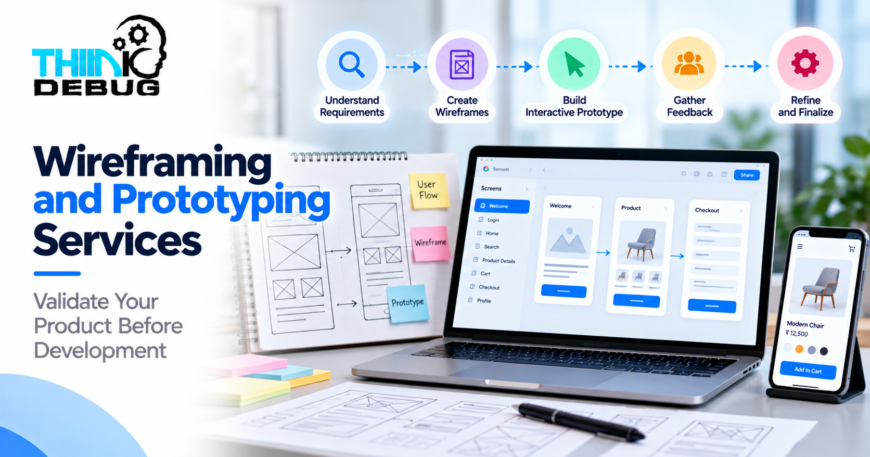
A typical design process can move through several stages:
1. Understand the Requirements
The team first understands the business objectives, target users, product requirements, and important workflows.
2. Define User Flows
Key journeys are mapped so the team understands how users should move through the product.
3. Create Wireframes
Basic screen structures are developed to establish layout and functionality.
4. Build the Prototype
Important screens are connected to create an interactive representation of the product.
5. Gather Feedback
Stakeholders and potential users can review the prototype and identify problems or improvements.
6. Refine the Experience
The design is adjusted before moving toward final UI design and development.
Why Prototyping Saves Time
Imagine discovering after development that users need four steps to complete an action that could have been completed in two.
Fixing that problem after development may involve changes to frontend code, backend logic, database interactions, testing, and deployment.
Finding the same issue in a prototype is much simpler.
This is one of the biggest advantages of prototyping: it moves important product decisions earlier in the development lifecycle.
Prototyping for Stakeholder Approval
Prototypes are also useful when multiple stakeholders are involved.
Instead of explaining a proposed feature through long documents, teams can demonstrate the actual interaction.
This makes it easier to discuss:
- What should happen?
- What should users see?
- What information is required?
- Which steps are unnecessary?
- Where should users go next?
Clearer discussions lead to clearer requirements.
What Makes a Good Prototype?
A useful prototype does not need to include every possible screen.
It should focus on the most important user journeys and business-critical interactions.
A strong prototype should be:
- Easy to understand
- Focused on key workflows
- Consistent with product requirements
- Simple enough to change
- Detailed enough to demonstrate interactions
- Designed around real user needs
The goal is not to create a perfect final product at the prototype stage.
The goal is to learn before building.
Wireframing and Prototyping for Startups
Startups often have limited budgets and need to validate ideas quickly.
A prototype can help founders demonstrate their product concept to potential customers, partners, investors, and development teams.
It can also help identify which features are essential for the first version and which can be introduced later.
This can prevent startups from spending their initial development budget on unnecessary functionality.
Why Choose ThinkDebug?
ThinkDebug provides wireframing and prototyping as part of its UI/UX design services, helping businesses visualize user flows and interactions before development begins. ThinkDebug
The process works alongside user research, responsive design, visual design, and usability testing to create digital products that are easier to understand and use.
Whether you are planning a website, mobile application, SaaS platform, or custom business application, the right prototype can provide a clearer path from idea to development.
Conclusion
Good development starts with good product decisions.
Wireframing and prototyping services help businesses turn ideas into clear, testable product experiences before committing to full development.
By visualizing workflows, identifying usability issues, collecting feedback, and refining the product early, businesses can reduce uncertainty and build with greater confidence.
Have a website or app idea? Talk to ThinkDebug to turn your concept into a clear, interactive prototype before development begins.
