As a business grows, managing operations becomes increasingly complicated.
Sales may use one system, finance another, HR may maintain separate records, and operations may depend on spreadsheets and disconnected applications.
The problem isn’t always the lack of software.
It is the lack of connected software.
Enterprise software brings important business processes into structured digital systems that can be used across departments.
ThinkDebug provides enterprise software solutions designed to support large organizations, centralize business processes, and handle complex operational requirements. Its enterprise offering includes ERP, CRM, HRMS, business intelligence, document management, workflow systems, supply-chain software, and finance and accounting solutions.
What Is Enterprise Software Development?
Enterprise software development focuses on creating applications for organizations with complex workflows, multiple departments, large amounts of data, and many users.
Unlike a small business application, enterprise software often needs to support:
- Multiple departments
- Different user roles
- Large datasets
- Complex approval processes
- Business reporting
- External integrations
- Security controls
- Scalable infrastructure
The goal is to create a digital foundation that supports the way the organization operates.
Why Businesses Need Enterprise Software
A growing organization can quickly accumulate disconnected tools.
For example:
Sales → CRM
Finance → Accounting Software
HR → HR System
Operations → Spreadsheets
Management → Manual Reports
Each system may work independently, but employees still have to move information between them.
Enterprise software can bring these processes together.
Instead of manually collecting information from several systems, management can access centralized information and departments can work with connected workflows.
1. Centralize Business Operations
One of the biggest advantages of enterprise software is centralized information.
Important business data can be managed through a common platform instead of being distributed across spreadsheets, emails, and disconnected applications.
This can cover areas such as:
- Customers
- Employees
- Orders
- Inventory
- Finance
- Documents
- Projects
- Operations
Centralization can make information easier to access while reducing unnecessary duplication.
2. Connect Different Departments
Enterprise software should not simply automate individual departments.
It should help departments work together.
For example:
Sales → Order → Inventory → Finance → Delivery
When these processes are connected, an action in one department can trigger the appropriate workflow elsewhere.
A new order can update inventory.
Inventory changes can affect procurement.
Completed orders can generate financial information.
This creates a connected business process rather than several isolated activities.
3. Automate Approval Workflows
Many organizations still manage approvals through emails and messages.
This can become difficult when there are multiple levels of authorization.
Enterprise software can structure workflows such as:
Request → Manager Approval → Finance Approval → Final Approval → Execution
The system can record who approved the request, when it happened, and what stage the request is currently in.
This creates better visibility and accountability.
4. Enterprise Resource Planning
ERP systems bring multiple business functions into a connected environment.
Depending on the organization, an enterprise solution may manage:
- Finance
- Inventory
- Purchasing
- Sales
- Human resources
- Manufacturing
- Supply chain
- Reporting
The objective is not simply to create more screens.
It is to create a consistent flow of information between business functions.
ThinkDebug includes ERP and enterprise resource planning among its enterprise software capabilities.
5. Customer and Relationship Management
Enterprise organizations may manage thousands or even millions of customer interactions.
A CRM component can help teams manage:
- Customer profiles
- Leads
- Sales opportunities
- Communication history
- Follow-ups
- Support requests
- Customer activity
When CRM data is connected with other business systems, teams can gain a more complete view of the customer.
For example:
Lead → Sales → Order → Payment → Support
can become one connected customer journey.
6. Business Intelligence and Reporting
Large organizations generate significant amounts of data.
But raw data isn’t enough.
Management needs useful information to understand what is happening across the organization.
Enterprise software can provide dashboards and reports covering areas such as:
- Revenue
- Sales
- Expenses
- Inventory
- Employee performance
- Customer activity
- Operations
- Project progress
Instead of preparing reports manually from multiple spreadsheets, decision-makers can access information through centralized dashboards.
ThinkDebug includes business intelligence tools within its enterprise software offering.
7. Document and Workflow Management
Enterprises handle large numbers of documents.
Contracts, invoices, applications, reports, employee records, approvals, and operational documents may all need to be stored and accessed securely.
A document and workflow management system can help organize:
- Document storage
- Access permissions
- Approval processes
- Version tracking
- Search
- Notifications
- Audit trails
This can reduce dependence on email attachments and scattered file storage.
8. Supply Chain and Logistics Software
For businesses involved in manufacturing, distribution, retail, or logistics, supply chain visibility is critical.
Enterprise software can connect processes such as:
Procurement → Inventory → Warehouse → Order → Shipment → Delivery
This provides better visibility into where products and orders are within the business process.
It can also help teams identify delays and operational bottlenecks.
ThinkDebug lists supply-chain and logistics software among its enterprise solution capabilities.
9. Security and User Access
Enterprise systems often contain sensitive business information.
Different employees should not automatically have access to everything.
Role-based access can ensure that users see the information and functionality relevant to their responsibilities.
Enterprise software may also require:
- Authentication
- Role-based permissions
- Encryption
- Audit logging
- Secure APIs
- Backup and recovery
- Activity monitoring
Security needs to be considered from the beginning of the architecture rather than added after development.
10. Enterprise Software Needs to Scale
A system designed for a few hundred users may not behave the same way when thousands of employees start using it.
Enterprise applications therefore need to consider:
- Application performance
- Database scalability
- Infrastructure
- Concurrent users
- Data growth
- API performance
- Monitoring
- Disaster recovery
ThinkDebug emphasizes scalable and secure software architecture as part of its software development approach.
The objective is to create software that can grow alongside the organization rather than becoming a limitation.
Enterprise Software Development Process
Building enterprise software requires careful planning because replacing or changing business-critical systems can affect multiple departments.
A typical process includes:
Requirement Analysis
Understand departments, workflows, users, data, integrations, and business objectives.
Architecture and Planning
Design the technical architecture, database structure, security model, integrations, and development roadmap.
UI/UX Design
Create interfaces that make complex business workflows easier for employees to use.
Development
Build the frontend, backend, database, APIs, integrations, and business logic.
Testing
Test workflows, permissions, integrations, performance, security, and critical business scenarios.
Deployment
Release the application in a controlled manner with appropriate infrastructure and monitoring.
Support and Improvement
Continue improving the system as business requirements evolve.
ThinkDebug describes a development process covering requirements, planning, design, development, testing, deployment, and ongoing maintenance.
Custom Enterprise Software vs Multiple Individual Tools
Using separate applications isn’t necessarily wrong.
The problem occurs when employees have to constantly move information between them.
Custom enterprise software can make sense when a business requires:
- Highly specific workflows
- Multiple departmental integrations
- Centralized reporting
- Complex permissions
- Custom automation
- Industry-specific functionality
- Long-term scalability
The decision should ultimately depend on the organization’s processes, budget, existing technology, and future requirements.
Why Choose ThinkDebug for Enterprise Software Development?
ThinkDebug develops enterprise solutions designed around complex business requirements and supports areas including ERP, CRM, HRMS, business intelligence, document management, workflow management, supply chain, and finance systems.
Its broader software development capabilities also cover custom applications, integrations, modernization, testing, deployment, and ongoing support.
This allows enterprise projects to be approached as complete business systems rather than isolated applications.
Build an Enterprise System Around Your Business
Enterprise software should make a complex organization easier to manage—not add another layer of complexity.
The right solution can connect departments, automate repetitive processes, centralize information, improve reporting, and provide a scalable technology foundation for future growth.
Whether you need enterprise applications, ERP, CRM, HRMS, business intelligence, workflow management, supply-chain software, or a completely customized platform, the first step is understanding how your organization works today.
Need to bring disconnected business operations into one scalable system? Talk to ThinkDebug about building an enterprise software solution around your business.
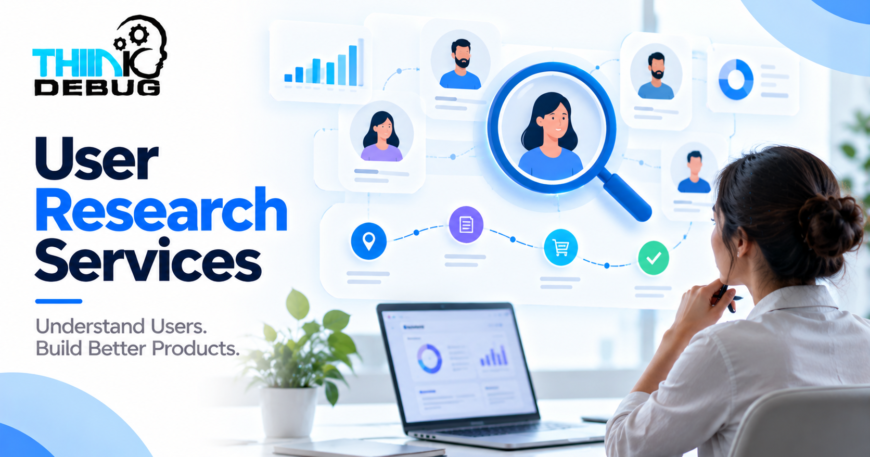
User Research Services: Build Digital Products Around Real Customer Needs
Description:
User research helps businesses understand what customers actually need, how they behave, what frustrates them, and why they choose or abandon a digital product. Instead of relying on assumptions, businesses can use research to make informed decisions before investing heavily in design and development. ThinkDebug provides user research services focused on understanding audiences, identifying pain points, mapping user journeys, and turning insights into better digital experiences.
Focus Keyword:
User Research Services
Meta Title:
User Research Services for Better Digital Products | ThinkDebug
Meta Description:
Discover how user research services help businesses understand customers, reduce product risks, improve UX, and build digital products that people actually want to use.
Suggested URL Slug:
user-research-services
User Research Services: Build Digital Products Around Real Customer Needs
A digital product can have excellent technology and attractive visuals and still fail if it does not solve the right customer problem.
One of the biggest reasons this happens is simple: businesses build based on assumptions instead of understanding their users.
User research services help businesses discover what customers actually expect from a website, mobile application, SaaS platform, or software product before important design and development decisions are made.
At ThinkDebug, user research is used to understand customer behavior, identify pain points, study user journeys, and create digital experiences that are aligned with both user expectations and business objectives.
What Is User Research?
User research is the process of collecting and analyzing information about your target users.
It can help answer questions such as:
- Who are your actual users?
- What problems are they trying to solve?
- What prevents them from completing an action?
- What features do they actually need?
- How do they currently solve the problem?
- What makes them trust or abandon a product?
- Where does friction occur in their journey?
The goal is not simply to collect opinions. Good user research turns customer behavior and feedback into practical insights that can influence product strategy, UX design, and development decisions.
Why User Research Matters Before Development
Starting development without understanding users can create expensive problems later.
A business may spend weeks building a feature that customers rarely use. A design team may create a complicated workflow when users actually need something much simpler. Developers may then have to rebuild parts of the product after usability problems become visible.
User research provides an opportunity to identify these issues earlier.
It can help businesses:
Reduce Product Risk
Research allows teams to test assumptions before investing significant development resources.
Instead of asking, “Can we build this?”, businesses can first ask, “Does this solve a real user problem?”
Understand Customer Pain Points
Users often experience problems that businesses do not see internally.
Research can uncover confusing navigation, unnecessary steps, unclear messaging, difficult forms, missing information, or other sources of friction.
Improve Product Decisions
Research provides evidence that can help product teams decide what should be prioritized.
This is particularly useful when there are many possible features but limited development resources.
Create Better User Experiences
Understanding users allows designers to create interfaces around real behaviors rather than assumptions.
ThinkDebug’s UI/UX process includes user research, personas, journey mapping, pain-point identification, and usability-focused design.
What Does User Research Include?
User research can take different forms depending on the product, audience, and business objective.
User Interviews
Direct conversations with potential or existing customers can reveal their goals, expectations, frustrations, and current workflows.
Interviews are particularly useful when a business is trying to understand why users behave in a particular way.
User Personas
Personas provide a structured representation of important user groups.
They can include:
- Goals
- Challenges
- Behaviors
- Needs
- Motivations
- Product expectations
Personas help teams keep the intended audience in mind throughout design and development.
Customer Journey Mapping
A customer journey map illustrates how users interact with a business or product from the first interaction through key actions and outcomes.
It can reveal where users experience confusion, delays, frustration, or unnecessary complexity.
Competitor and Market Research
Understanding competing products can provide useful context about customer expectations, common workflows, missing features, and opportunities for differentiation.
The objective is not simply to copy competitors. It is to understand the market and identify where a product can provide a better experience.
Usability Research
Usability research helps identify whether users can complete important tasks efficiently.
Even a visually attractive interface can create problems if users cannot easily understand what to do next.
User Research for Websites and Mobile Apps
User research is valuable for both websites and applications.
For a business website, research might focus on:
- How visitors find information
- Why visitors leave
- How users navigate services
- Which information influences inquiries
- Where users encounter confusion
For a mobile application, research may focus on:
- Onboarding
- Navigation
- Registration
- Search
- Checkout
- Notifications
- Feature discovery
- User retention
The research approach should depend on what users need to accomplish rather than following a fixed process for every project.
Turning Research Into Product Decisions
Research only becomes valuable when the findings influence what gets built.
For example, research may reveal that users struggle with a complicated registration process.
Instead of simply documenting the problem, the product team can use that insight to simplify the flow, reduce unnecessary fields, improve instructions, and test the redesigned experience.
This creates a practical connection between:
Research → Insights → Design → Development → Testing
That connection helps prevent user research from becoming a document that nobody uses after the initial project phase.
When Should Businesses Conduct User Research?
User research is not limited to new products.
It can be valuable at several stages.
Before Building a Product
Research can help validate the problem and understand the target audience before development begins.
During Product Design
Research can help evaluate concepts, wireframes, prototypes, and user flows.
After Launch
Existing products can also benefit from research when businesses notice low engagement, poor conversion, high abandonment, or recurring customer complaints.
During a Redesign
If an existing website or application is being redesigned, research can help identify which problems should actually be solved instead of simply changing the visual appearance.
How ThinkDebug Approaches User Research
ThinkDebug combines user research with the broader UI/UX design process to create digital experiences that support both users and business objectives.
The process can include:
- Understanding the business and product goals
- Defining the target audience
- Researching user needs and behavior
- Identifying pain points
- Mapping important user journeys
- Creating user personas where appropriate
- Translating findings into design requirements
- Validating concepts and user flows
- Iterating based on feedback
This approach helps create a stronger connection between what a business wants to achieve and what users actually need.
Build With Users in Mind
Successful digital products are not created by technology alone.
They are created when technology, business objectives, and user needs come together.
User research can provide the foundation for making better product decisions before time and development budgets are committed to the wrong direction.
Whether you are planning a new application, redesigning a website, developing SaaS software, or improving an existing digital product, understanding your users should be part of the process.
Why Choose ThinkDebug?
ThinkDebug provides user-focused UI/UX services that combine research, design, prototyping, and usability thinking. Its UI/UX offering includes user research and analysis, wireframing and prototyping, responsive design, visual design, and usability testing.
The objective is simple: understand the people using your product and use those insights to create experiences that are easier to understand, easier to navigate, and better aligned with business goals.
Conclusion
Building a digital product without understanding its users can lead to wasted development effort, poor adoption, and unnecessary redesigns.
User research services help businesses replace assumptions with real insights. By understanding customer needs, behaviors, pain points, and journeys, teams can make more informed decisions from the earliest stages of product development.
Have a digital product idea or an existing product that needs improvement? Talk to ThinkDebug about user research and UX strategy for your next project.
