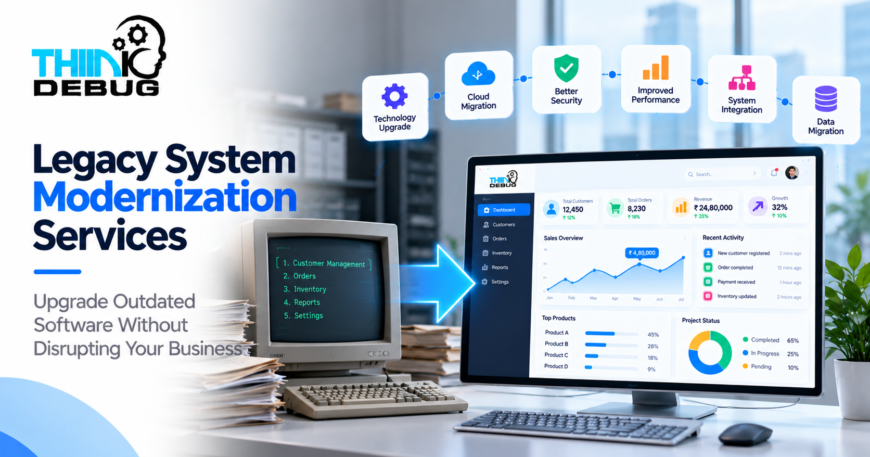
Legacy System Modernization Services: Upgrade Outdated Software Without Disrupting Your Business
Many businesses still depend on software that was developed years ago. While these systems may continue to support important business operations, outdated technology can eventually create problems with security, performance, maintenance, integrations, and scalability.
Replacing everything at once is not always practical.
Legacy system modernization provides another approach: identify what is working, understand what is limiting the business, and gradually upgrade the technology without unnecessarily disrupting existing operations.
What Is Legacy System Modernization?
Legacy system modernization is the process of improving an older software application or technology environment so it can meet current business requirements.
Modernization can involve:
- Updating outdated technologies
- Improving application architecture
- Redesigning the user interface
- Migrating to the cloud
- Improving database performance
- Strengthening security
- Introducing APIs
- Integrating modern applications
- Migrating and cleaning data
- Replacing individual outdated components
The objective is not simply to make old software look new.
It is to make the system more secure, maintainable, scalable, and useful for the business.
Why Do Businesses Modernize Legacy Software?
Legacy systems often become difficult to manage gradually.
The application may initially work perfectly, but over the years:
- Technology becomes outdated
- Developers become harder to find
- Security requirements change
- Data volume increases
- Performance declines
- Integrations become complicated
- Business processes evolve
- Users expect better experiences
Eventually, even a small change can require significant development effort.
Modernization helps address these issues before they become major operational problems.
1. Improve Software Performance
Older applications may struggle as the number of users and amount of data increase.
Slow database queries, outdated infrastructure, inefficient code, or an architecture designed for smaller workloads can affect application performance.
Modernization can involve:
- Database optimization
- Code refactoring
- Architecture improvements
- Infrastructure upgrades
- Caching
- Better resource management
The result can be a faster and more reliable application without completely replacing the business system.
2. Strengthen Security
Security requirements evolve continuously.
An application built several years ago may rely on outdated libraries, authentication methods, infrastructure, or security practices.
Modernization provides an opportunity to review:
- Authentication
- User permissions
- Encryption
- API security
- Database security
- Vulnerability management
- Logging
- Backup systems
Security should be treated as an ongoing part of modernization rather than something added at the end of the project.
3. Move Legacy Applications to the Cloud
Many older applications were designed to run on physical servers or traditional infrastructure.
Cloud modernization can provide greater flexibility around:
- Infrastructure
- Storage
- Scalability
- Monitoring
- Backups
- Deployment
- Disaster recovery
However, cloud migration is more than simply moving an application from one server to another.
The application architecture, database, security configuration and deployment process may also need to be adapted.
A properly planned migration can help businesses modernize infrastructure while keeping the existing application operational.
4. Connect Old Systems With New Technology
A business doesn’t always need to replace its legacy system.
Sometimes it needs to connect it with newer applications.
For example:
Legacy ERP → API → Modern Web Application
or:
Legacy Database → Integration Layer → Analytics Dashboard
This approach allows businesses to retain important existing functionality while gradually introducing modern technology.
APIs and integration layers can become the bridge between older systems and newer platforms.
5. Modernize the User Experience
An application can continue functioning correctly while still providing a poor user experience.
Employees may need too many steps to complete basic tasks.
Customers may struggle with outdated interfaces.
The application may not work properly on mobile devices.
A modernization project can redesign the user interface and simplify important workflows.
This can improve productivity without necessarily changing the underlying business logic.
6. Migrate and Improve Business Data
Data is often one of the most valuable assets inside a legacy system.
But older databases may contain:
- Duplicate records
- Inconsistent formats
- Outdated information
- Missing fields
- Unused data
Modernization provides an opportunity to review, clean, migrate and organize that information.
A proper migration process should include validation and testing to ensure important business data remains accurate after moving to the new system.
7. Make Future Integrations Easier
Legacy applications can become difficult to integrate with modern services.
Businesses may want to add:
- Payment gateways
- CRM systems
- Mobile applications
- Analytics
- AI capabilities
- Cloud services
- Customer portals
Modernizing the architecture and introducing well-designed APIs can make these integrations significantly easier.
This is especially useful for businesses that expect their digital ecosystem to continue expanding.
Does Modernization Mean Rebuilding Everything?
Not necessarily.
There are several approaches to legacy modernization.
Rehost
Move the existing application to new infrastructure with minimal changes.
Refactor
Improve the existing code and architecture while keeping much of the application intact.
Rebuild
Create a new application using modern technologies.
Replace
Move away from the existing system completely when another solution is more appropriate.
Incremental Modernization
Modernize individual components gradually while the existing system continues operating.
The right approach depends on the application’s condition, business importance, budget, technical requirements, and long-term plans.
How to Modernize Without Disrupting Business
One of the biggest concerns with legacy modernization is downtime.
A business cannot simply stop operations for several months while a new system is developed.
A phased approach can reduce this risk:
Assess → Plan → Modernize → Test → Deploy → Monitor
Critical components can be upgraded one at a time.
New applications can operate alongside existing systems.
Data can be migrated in controlled stages.
Testing can happen before production changes are introduced.
This allows modernization to happen as a planned transformation rather than a sudden replacement.
When Should You Modernize Your Legacy System?
Consider evaluating modernization when:
- Your application is difficult to maintain
- Security updates are becoming difficult
- Performance is declining
- Developers struggle with the technology
- Integrations take too much time
- Infrastructure costs are increasing
- Your application cannot scale
- Users are unhappy with the interface
- Your business has outgrown the original system
Waiting until an old system completely fails can make modernization more expensive and disruptive.
Planning earlier gives businesses more options.
Why Choose ThinkDebug for Legacy Modernization?
ThinkDebug’s software development services include legacy system analysis, technology upgrades, application re-engineering, cloud migration, data migration, validation, and integration of modern features.
The team can evaluate an existing system, identify technical limitations, and create a modernization roadmap based on the business’s actual requirements.
This allows businesses to modernize strategically rather than replacing technology simply because it is old.
Modernize Your Software for the Next Stage of Growth
Legacy software does not automatically need to be discarded.
The right modernization strategy can preserve valuable business functionality while improving security, performance, scalability, usability, and integration capabilities.
Whether your business needs cloud migration, application re-engineering, database modernization, API integration, security improvements, or a gradual technology upgrade, the first step is understanding what your existing system needs.
Have an outdated application that is becoming difficult to maintain? Talk to ThinkDebug about creating a practical modernization roadmap for your business.
