

Web Application Development Services: Build Scalable Digital Platforms for Modern Businesses
Businesses today need more than a basic website.
A website can introduce your company, showcase services, and provide information. But when your business needs customer dashboards, booking systems, employee portals, workflow automation, SaaS platforms, management systems, or complex integrations, you need something more powerful.
That is where web application development comes in.
A modern web application can turn complicated business processes into streamlined digital experiences that customers and employees can access through a browser.
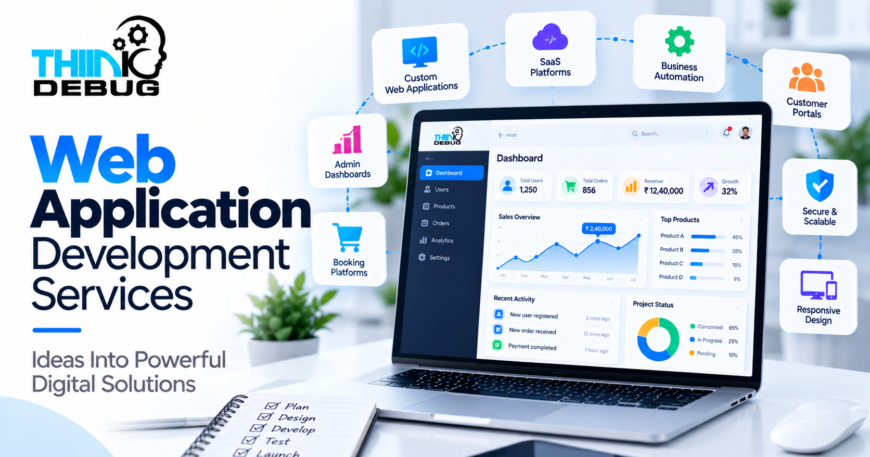
ThinkDebug provides web application development services focused on building scalable, secure, responsive, and business-specific applications. Its current web development offering includes custom web applications, dashboards, admin panels, management systems, SaaS platforms, booking engines, and workflow automation systems.
What Is Web Application Development?
Web application development involves designing and building software that runs through a web browser.
Unlike a traditional informational website, a web application typically allows users to log in, submit information, perform actions, access personalized data, interact with business processes, and manage information.
Examples include:
- Customer portals
- Employee management systems
- CRM platforms
- ERP systems
- Booking platforms
- SaaS products
- Ecommerce platforms
- Admin dashboards
- Financial management systems
- Workflow automation platforms
- Learning management systems
- Healthcare management platforms
A web application can be built around almost any business process that can be digitized.
Why Businesses Need Custom Web Applications
Many businesses initially manage operations using spreadsheets, emails, messaging applications, and disconnected software.
That approach may work when the company is small.
As the business grows, however, problems start appearing.
Employees enter the same information multiple times. Managers struggle to track operations. Customers have limited visibility. Data becomes scattered across different systems.
A custom web application can bring these processes into one centralized platform.
For example, instead of managing customer enquiries through spreadsheets and email, a company could use a web application where:
Lead → Assignment → Follow-up → Proposal → Approval → Payment → Reporting
is managed through one system.
The result is not simply a new piece of software. It is a more structured way of operating the business.
Types of Web Applications ThinkDebug Can Develop
1. Custom Business Applications
Every business has processes that don’t perfectly fit generic software.
Custom web applications allow those processes to be converted into software specifically designed around the organization’s requirements.
Examples include:
- Internal management platforms
- Operations systems
- Inventory systems
- Employee portals
- Customer management systems
- Reporting platforms
- Workflow applications
ThinkDebug’s software development offering similarly focuses on tailor-made solutions designed around specific business requirements.
2. SaaS Web Applications
Software-as-a-Service products allow customers to access software through the internet without installing traditional desktop applications.
A SaaS application may include:
- User registration
- Subscription management
- Multiple pricing plans
- Payment integration
- User dashboards
- Role-based permissions
- Notifications
- Analytics
- Administration
- API integrations
For startups building a software product, architecture and scalability become particularly important because the application may need to support increasing numbers of customers over time.
3. Customer Portals
Customer portals provide users with secure access to information and services.
For example, a customer could log in to:
- View orders
- Track applications
- Download documents
- Submit requests
- Make payments
- Raise support tickets
- View account information
Instead of requiring employees to answer every routine customer request manually, the portal gives customers direct access to the information they need.
4. Admin Dashboards
A strong admin dashboard gives business teams visibility into the operation of their platform.
Depending on the project, dashboards can include:
- User management
- Sales information
- Revenue reports
- Application status
- Inventory
- Transactions
- System activity
- Notifications
- Analytics
- Configuration controls
The dashboard becomes the operational control center of the application.
5. Booking and Marketplace Platforms
Web applications can also power complex booking and marketplace businesses.
These platforms may involve:
Users + Vendors + Inventory + Search + Payments + Booking + Notifications + Administration
A properly designed architecture is essential when multiple users and external systems interact with the same inventory or transaction.
This is particularly important for platforms that need real-time availability, payment processing, cancellations, refunds, commissions, and reporting.
What Makes a Good Web Application?
Building features is only one part of the job.
A successful web application also needs to be:
Fast
Users expect pages and actions to respond quickly. Performance should be considered from the architecture stage rather than treated as an afterthought.
Secure
Authentication, authorization, encryption, secure APIs, input validation, session management and appropriate security controls should be incorporated into the application.
Scalable
The application should be capable of handling business growth without requiring a complete rewrite.
Mobile Responsive
Users increasingly access business platforms from phones and tablets. Interfaces need to work properly across different screen sizes.
Maintainable
Clean architecture and well-structured code make future improvements significantly easier.
Reliable
Applications supporting business-critical operations need appropriate monitoring, logging, testing, backup and recovery strategies.
The Importance of Choosing the Right Architecture
Architecture decisions made at the beginning of a project can influence development speed, infrastructure costs and scalability for years.
A small internal application may not require the same architecture as a global SaaS platform.
Depending on requirements, a project may use:
- Monolithic architecture
- Modular architecture
- Microservices
- Serverless architecture
- Cloud-native infrastructure
- API-first architecture
The correct choice depends on factors such as expected traffic, development budget, team size, integration requirements, security requirements and future growth.
More complex architecture is not automatically better architecture.
The goal should be to build the appropriate architecture for the actual business problem.
Technology Stack for Modern Web Applications
ThinkDebug works with a range of modern technologies for web and software development, including React, Angular, Vue.js, Node.js, Python, PHP, Laravel, Django, Java, .NET, databases such as MySQL, PostgreSQL and MongoDB, and cloud platforms including AWS, Azure and Google Cloud.
A typical application might use:
Frontend: React, Angular, Vue.js
Backend: Node.js, Python, PHP, Laravel, Django or other suitable frameworks
Database: PostgreSQL, MySQL, MongoDB or another appropriate database
Infrastructure: AWS, Azure, Google Cloud or other cloud environments
APIs: REST, GraphQL and third-party integrations
The technology should follow the requirements—not the other way around.
Web Application Development for Business Automation
One of the strongest use cases for custom web applications is automation.
Consider a company where an employee currently:
- Receives a request by email.
- Copies information into a spreadsheet.
- Sends the request to another department.
- Waits for approval.
- Updates another system.
- Sends a confirmation manually.
A web application could potentially convert this into:
Request → Automated Validation → Assignment → Approval → Notification → Reporting
That reduces repetitive work and creates a consistent process.
ThinkDebug’s software development services specifically include workflow automation, business management tools, custom dashboards, client portals, inventory systems and data management platforms.
Integrating Existing Business Systems
A new web application rarely exists in isolation.
Businesses often already use:
- Payment gateways
- CRM platforms
- ERP systems
- Accounting software
- Email platforms
- SMS providers
- Cloud storage
- Analytics tools
- External APIs
Integration allows these systems to communicate.
For example:
Web Application → Payment Gateway → Payment Confirmation → Database → Customer Notification
or:
CRM → API → Web Application → Reporting Dashboard
Good API design and data validation are essential when multiple systems exchange business-critical information.
Web Application Development Process
A structured development process reduces unnecessary rework.
ThinkDebug describes a development process covering requirements understanding, planning and design, development, testing, deployment and ongoing support.
Step 1: Requirement Analysis
The team identifies:
- Business objectives
- User types
- Required workflows
- Integrations
- Security requirements
- Functional requirements
- Performance expectations
Step 2: Product Planning
The requirements are converted into:
- User journeys
- Feature specifications
- Technical architecture
- Development roadmap
- Milestones
Step 3: UI/UX Design
The interface is designed around how users actually interact with the application.
Step 4: Development
Frontend, backend, database and integrations are developed according to the agreed architecture.
Step 5: Testing
Testing should cover functionality, usability, security, performance, compatibility and critical business workflows.
Step 6: Deployment
The application is deployed to the appropriate infrastructure with required configuration, security and monitoring.
Step 7: Support and Improvement
After launch, applications require updates, bug fixes, monitoring, security improvements and new functionality as the business evolves.
ThinkDebug describes ongoing maintenance and support as part of its broader software development offering.
How Much Does Web Application Development Cost?
There is no single price for web application development.
The cost depends heavily on:
- Number of features
- Number of user roles
- UI/UX complexity
- Backend complexity
- Third-party integrations
- Payment systems
- Real-time functionality
- Security requirements
- Expected traffic
- Infrastructure
- Testing requirements
- Ongoing maintenance
A basic internal application may require a relatively small development effort, while a large SaaS or marketplace platform can require months of design, development, testing and infrastructure work.
The best way to estimate cost is to first define the MVP, identify the essential workflows and then estimate subsequent phases separately.
Why Choose ThinkDebug for Web Application Development?
ThinkDebug positions its web development services around performance, security, responsiveness and scalability, with solutions ranging from custom web applications to dashboards, management systems, SaaS platforms, booking engines and workflow automation.
The company also describes a client-centric and agile approach, with development covering the journey from concept through deployment and ongoing support.
For businesses, this means the conversation doesn’t have to start with technology.
It can start with a much more important question:
What business problem are we trying to solve?
From there, the technology, architecture and development roadmap can be designed around the actual requirement.
Build a Web Application Around Your Business
A web application can become much more than another digital product.
It can become the platform through which your customers interact with your company, your employees manage operations and your leadership team monitors performance.
Whether you need a customer portal, SaaS platform, booking system, business dashboard, workflow automation platform or completely custom application, the right development approach can turn a complex business process into a structured digital experience.
ThinkDebug helps businesses transform ideas and operational challenges into scalable web solutions.
Have a web application idea? Start with the business problem, define the essential workflow, and build the right solution around it.
