


A website or application can be technically sound, visually attractive, and packed with useful features—and still frustrate users.
The problem may not be the technology. It may be the experience.
Users may struggle to find information, misunderstand a button, get stuck during checkout, or simply fail to understand what they should do next.
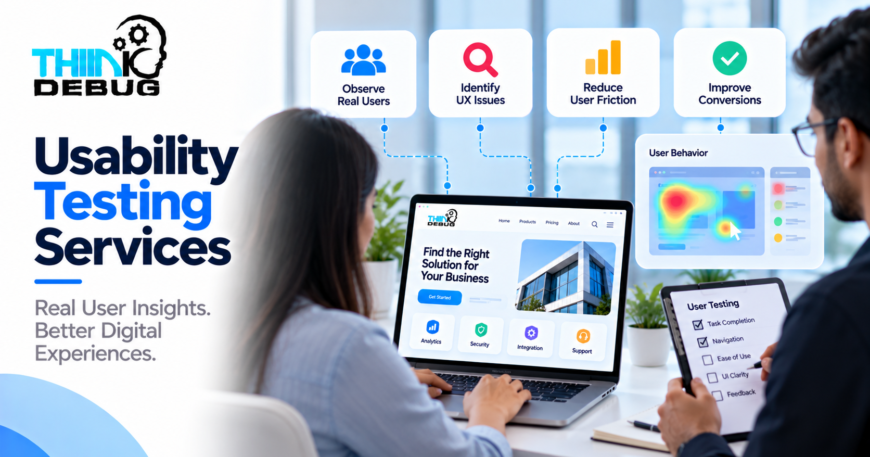
Usability testing services help businesses discover these problems by evaluating how people actually interact with a digital product.
Instead of assuming that an interface is easy to use, usability testing provides an opportunity to observe real behavior and identify areas that need improvement.
ThinkDebug follows an iterative UI/UX approach that includes usability testing to help create experiences that are intuitive and aligned with business objectives.
What Is Usability Testing?
Usability testing is the process of evaluating a digital product by observing users as they perform specific tasks.
For example, an e-commerce application might ask a participant to:
Find a product → Add it to the cart → Apply a discount → Complete checkout
The goal is to understand whether the user can complete the task naturally and where difficulties occur.
Testing can reveal problems that may not be obvious to designers, developers, or business owners.
Why Usability Testing Matters
Discover Hidden Problems
Internal teams become familiar with their own products.
Because they already know where features are located and how workflows operate, they may not notice the confusion experienced by new users.
Testing provides an outside perspective.
Reduce User Friction
Small usability issues can have a major effect on the overall experience.
A confusing form, unclear navigation label, or unnecessary step can cause users to abandon an important process.
Finding these issues helps teams simplify the journey.
Improve Conversion
For websites and applications that depend on registrations, inquiries, purchases, or bookings, usability can directly influence business results.
When users can complete important actions more easily, the product has a better opportunity to convert them.
Make Better Design Decisions
Design decisions should not always depend on personal preferences.
Testing provides evidence about what users understand, where they struggle, and which parts of an interface may need improvement.
What Can Be Tested?
Usability testing can be applied to almost any important user journey.
Website Navigation
Testing can determine whether visitors can quickly find services, products, information, or contact options.
Registration and Login
Forms can create significant friction when they contain unnecessary fields or unclear instructions.
Testing can reveal where users hesitate or abandon the process.
E-Commerce Checkout
Checkout is one of the most important workflows for an online store.
Testing can uncover problems involving shipping information, payment steps, discounts, account creation, or order confirmation.
Mobile App Navigation
Mobile users interact with smaller screens and touch-based controls.
Testing can reveal whether navigation, gestures, buttons, and screen layouts feel natural.
SaaS Dashboards
Business applications often contain large amounts of information.
Usability testing can help determine whether users can find important data and complete their daily tasks efficiently.
Usability Testing Process
A structured process helps ensure that testing produces actionable insights.
1. Define the Objective
First, the team determines what needs to be evaluated.
This could be a complete product or a specific workflow such as onboarding, checkout, booking, or account management.
2. Identify Key Tasks
Important user tasks are selected for testing.
The tasks should represent real actions users are expected to perform.
3. Prepare the Test
The testing environment, prototype, website, or application is prepared along with the scenarios users will complete.
4. Observe User Behavior
Participants perform the selected tasks while their behavior, difficulties, questions, and points of hesitation are observed.
The objective is to understand what users actually do rather than what the team expects them to do.
5. Identify Usability Issues
The findings are analyzed to identify recurring problems.
Issues may include:
- Confusing navigation
- Unclear labels
- Difficult forms
- Poor information hierarchy
- Excessive steps
- Weak calls to action
- Inconsistent interface behavior
6. Prioritize Improvements
Not every issue needs to be fixed immediately.
Problems can be prioritized based on their impact on users and business objectives.
7. Iterate and Retest
After improvements are made, important workflows can be tested again.
This creates a continuous improvement cycle rather than treating UX as a one-time activity.
Usability Testing for New Products
Testing does not have to wait until a product is fully developed.
Interactive prototypes can be used to evaluate important workflows before development begins.
This can be especially valuable for startups and businesses building new applications.
If a major usability problem is discovered during prototyping, changing the design is generally easier than rebuilding a completed feature.
Usability Testing for Existing Products
Existing products can benefit from testing as well.
A business may already have a functioning website or application but notice:
- High abandonment
- Low engagement
- Customer complaints
- Poor conversion
- Difficult onboarding
- Confusing navigation
- Low feature adoption
Usability testing can help identify what is happening from the user’s perspective.
This makes it easier to improve the product based on actual problems instead of simply redesigning screens without understanding the cause.
Qualitative Insights Matter
Analytics can tell you what users are doing.
For example, analytics may show that many users leave during checkout.
Usability testing can help uncover why.
A participant may struggle to understand a shipping option, miss an important button, or become confused by a payment step.
Combining behavioral data with direct observation can therefore provide a much stronger understanding of the user experience.
Usability Testing and Iterative Design
Good UX is rarely achieved in a single attempt.
A more effective approach is:
Design → Test → Learn → Improve → Test Again
This iterative process allows teams to continuously refine important experiences.
ThinkDebug’s UI/UX approach emphasizes iterative design and usability testing to create intuitive, responsive experiences aligned with business goals.
When Should You Invest in Usability Testing?
Usability testing can be valuable when:
- Launching a new digital product
- Redesigning an existing website
- Building a mobile application
- Developing a SaaS platform
- Improving conversion rates
- Simplifying complicated workflows
- Introducing major new features
- Investigating recurring customer complaints
It is particularly useful when a business knows that users are struggling but does not know exactly why.
Why Choose ThinkDebug?
ThinkDebug provides UI/UX design services that combine user research, wireframing, prototyping, responsive design, visual design, and usability testing.
This broader approach allows usability findings to feed directly into design improvements instead of being treated as an isolated testing activity.
The result is a more practical design process where user feedback can continuously improve the final digital experience.
Conclusion
A product should not be considered user-friendly simply because its creators understand how to use it.
Real users may interact with the same product very differently.
Usability testing services help businesses uncover those differences, identify friction, and improve important user journeys before small problems become expensive business problems.
By continuously testing and refining the experience, businesses can build digital products that are easier to understand, easier to navigate, and more effective.
Want to know where users are struggling with your website or application? Talk to ThinkDebug about usability testing and UX improvement for your digital product.
