

UI UX Design Services: Create Digital Products That Users Understand and Enjoy
A software product can have excellent technology and still fail if users find it difficult to understand or navigate.
Good UI UX design helps users complete tasks with less friction. It creates clear navigation, consistent interfaces, logical workflows, and experiences that work across different devices.
At ThinkDebug, we provide UI UX design services for websites, mobile applications, SaaS platforms, dashboards, ecommerce products, and custom software.
What is UI UX Design?
UI stands for User Interface. It focuses on the visual elements users interact with, including layouts, buttons, typography, colors, forms, icons, and components.
UX stands for User Experience. It focuses on how users move through a product, complete tasks, find information, and interact with the overall system.
Both areas work together to create products that are functional, clear, and easy to use.
Why UI UX Design Matters
Poor design can create unnecessary friction throughout the user journey.
A strong UI UX approach can help businesses achieve:
• Easier navigation
• Faster task completion
• Better user engagement
• Consistent branding
• Improved conversion rates
• Fewer usability issues
• Better customer satisfaction
Our UI UX Design Services
ThinkDebug provides complete UI UX design services for digital products.
Website UI UX Design
We design business websites, service websites, landing pages, portals, and content platforms with clear navigation and conversion focused user journeys.
Mobile App UI UX Design
We design Android and iOS application interfaces with responsive layouts, intuitive navigation, and touch friendly interactions.
SaaS UI UX Design
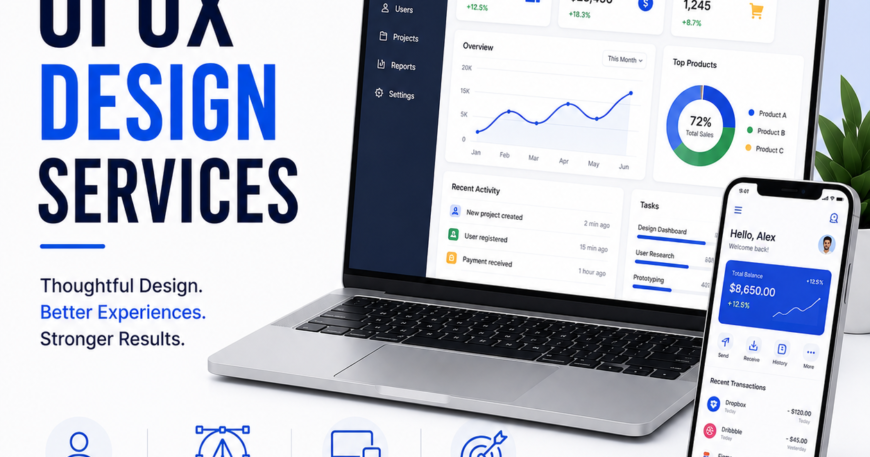
We design SaaS platforms with dashboards, workflows, settings, onboarding, reports, and account management interfaces.
Dashboard Design
We create dashboards that organize complex information into clear and actionable views.
Dashboard designs can include:
• Charts
• KPIs
• Tables
• Filters
• Reports
• Notifications
• Activity feeds
UX Research and User Flows
Before designing screens, we analyze how users interact with the product.
We define:
• User personas
• User journeys
• Information architecture
• Navigation
• Task flows
• Conversion paths
• Key interactions
This helps ensure that the interface supports actual user requirements.
Wireframing
Wireframes provide a structural view of an application before visual design begins.
They help define:
• Page structure
• Content hierarchy
• Navigation
• Component placement
• User interactions
• Screen relationships
Wireframes also make it easier to identify usability problems early.
Interactive Prototypes
We create interactive prototypes that allow stakeholders to experience the product flow before development.
Prototypes can help validate:
• Navigation
• User journeys
• Interactions
• Content structure
• Screen transitions
• Business workflows
This reduces unnecessary design and development changes later.
Design Systems
A design system creates consistency across a digital product.
We can define reusable:
• Buttons
• Forms
• Cards
• Navigation
• Tables
• Modals
• Typography
• Icons
• Spacing
• Color rules
A consistent design system also makes future product development more efficient.
Responsive Design
Modern digital products need to work across different screen sizes.
We design interfaces for:
• Desktop
• Laptop
• Tablet
• Mobile
Responsive layouts help maintain usability as users move between different devices.
UI UX for Complex Applications
Business applications often contain complicated workflows and large amounts of information.
We simplify complex interfaces through:
• Clear information hierarchy
• Logical navigation
• Progressive disclosure
• Consistent components
• Search and filtering
• Contextual actions
• Clear feedback
This can make complex systems easier for employees and customers to use.
Ecommerce UI UX Design
For ecommerce businesses, the shopping experience directly affects conversions.
We design experiences for:
• Product discovery
• Search
• Product details
• Filtering
• Shopping carts
• Checkout
• Customer accounts
• Order tracking
The goal is to reduce unnecessary steps and make purchasing easier.
AI Product UI UX Design
AI applications require interfaces that clearly communicate what the system can do and how users should interact with it.
We design interfaces for:
• AI assistants
• Chat applications
• AI dashboards
• Document analysis tools
• Intelligent search
• Recommendation systems
• AI automation platforms
The design focuses on making AI functionality understandable and useful.
UI UX Design Process
Our design process typically includes:
1. Discovery
We understand the product, target users, business objectives, and technical requirements.
2. User Flow
We map important journeys and workflows.
3. Wireframes
We create the structural layout of key screens.
4. Visual Design
We develop the final interface, including typography, components, spacing, colors, and visual hierarchy.
5. Prototype
We connect screens into an interactive prototype.
6. Design Handoff
The final designs and components are prepared for development.
7. Design Support
We work with developers during implementation to maintain design consistency.
Figma Design Services
We use modern design workflows to create structured and developer friendly designs.
Figma projects can include:
• Wireframes
• High fidelity screens
• Prototypes
• Design systems
• Component libraries
• Responsive layouts
• Developer specifications
This creates a clear connection between design and development teams.
Industries We Serve
Our UI UX design services can support:
• SaaS
• Ecommerce
• Healthcare
• Finance
• Education
• Travel
• Real Estate
• Hospitality
• Logistics
• Professional Services
• Technology
We adapt the design approach according to the users, business model, and application complexity.
Why Choose ThinkDebug?
ThinkDebug combines UI UX design with frontend, backend, mobile, cloud, API, AI, and software development expertise.
This gives our designers a better understanding of how the final product will actually work.
Our approach focuses on:
• User needs
• Business objectives
• Clear workflows
• Consistent interfaces
• Responsive design
• Development feasibility
• Scalability
• Maintainability
Benefits of Professional UI UX Design
A well designed digital product can help businesses achieve:
• Better user adoption
• Faster task completion
• Improved customer experience
• Stronger brand consistency
• Reduced usability problems
• Better conversion opportunities
• More efficient development
• Easier product expansion
Design a Better Digital Product
Your users should not have to figure out how your software works.
ThinkDebug helps businesses design websites, mobile applications, SaaS platforms, dashboards, ecommerce products, and custom software with clear user journeys and intuitive interfaces.
From initial wireframes to production ready designs, we help transform complex requirements into digital experiences that users can understand and use.
Contact ThinkDebug today to discuss your UI UX design requirements.

